STEP 01
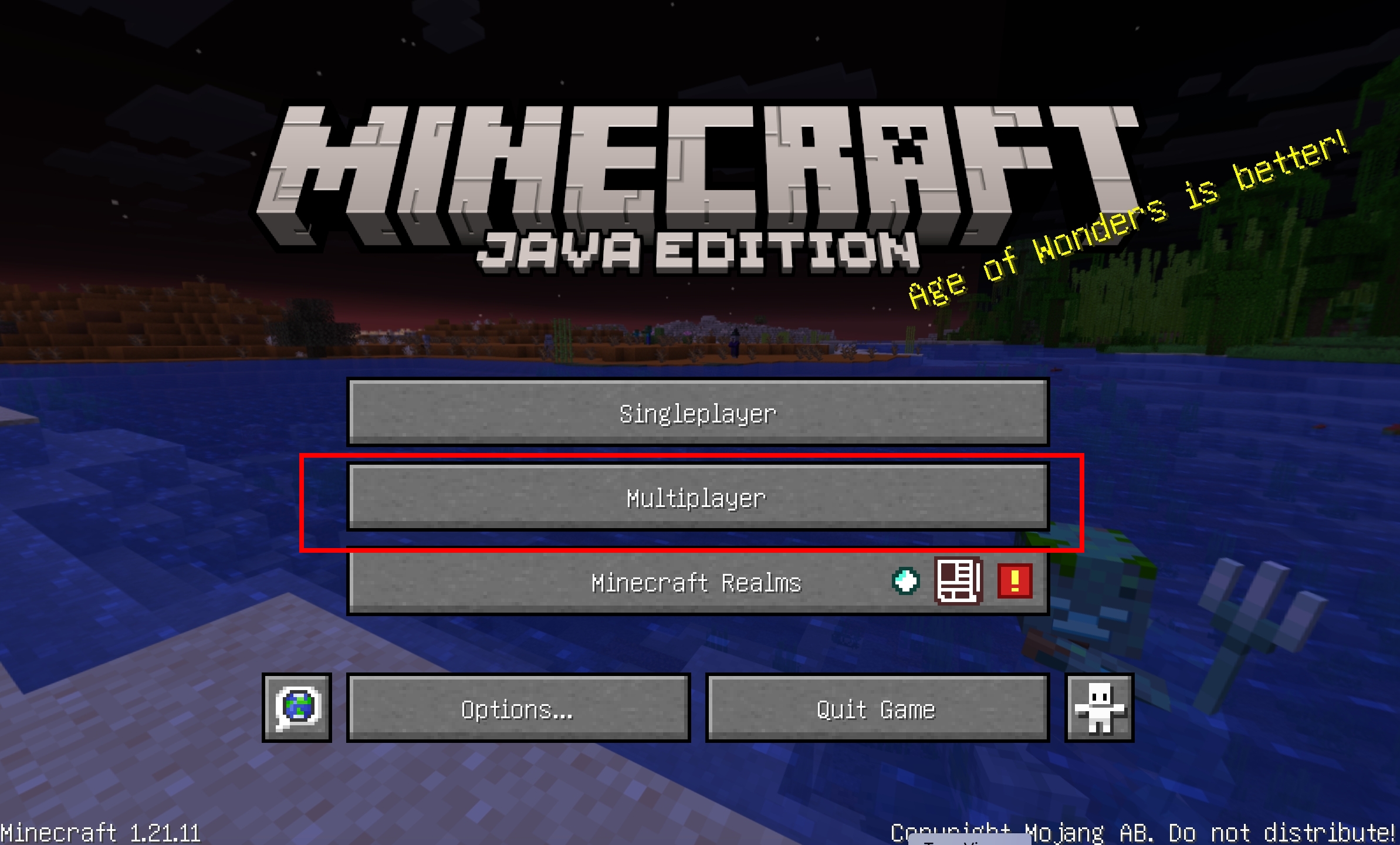
LAUNCH MINECRAFT
Open your Minecraft launcher and start Version 1.21.1. If you haven't installed it yet, you can download it here. Make sure you are using a clean installation or compatible mods.
STEP 02
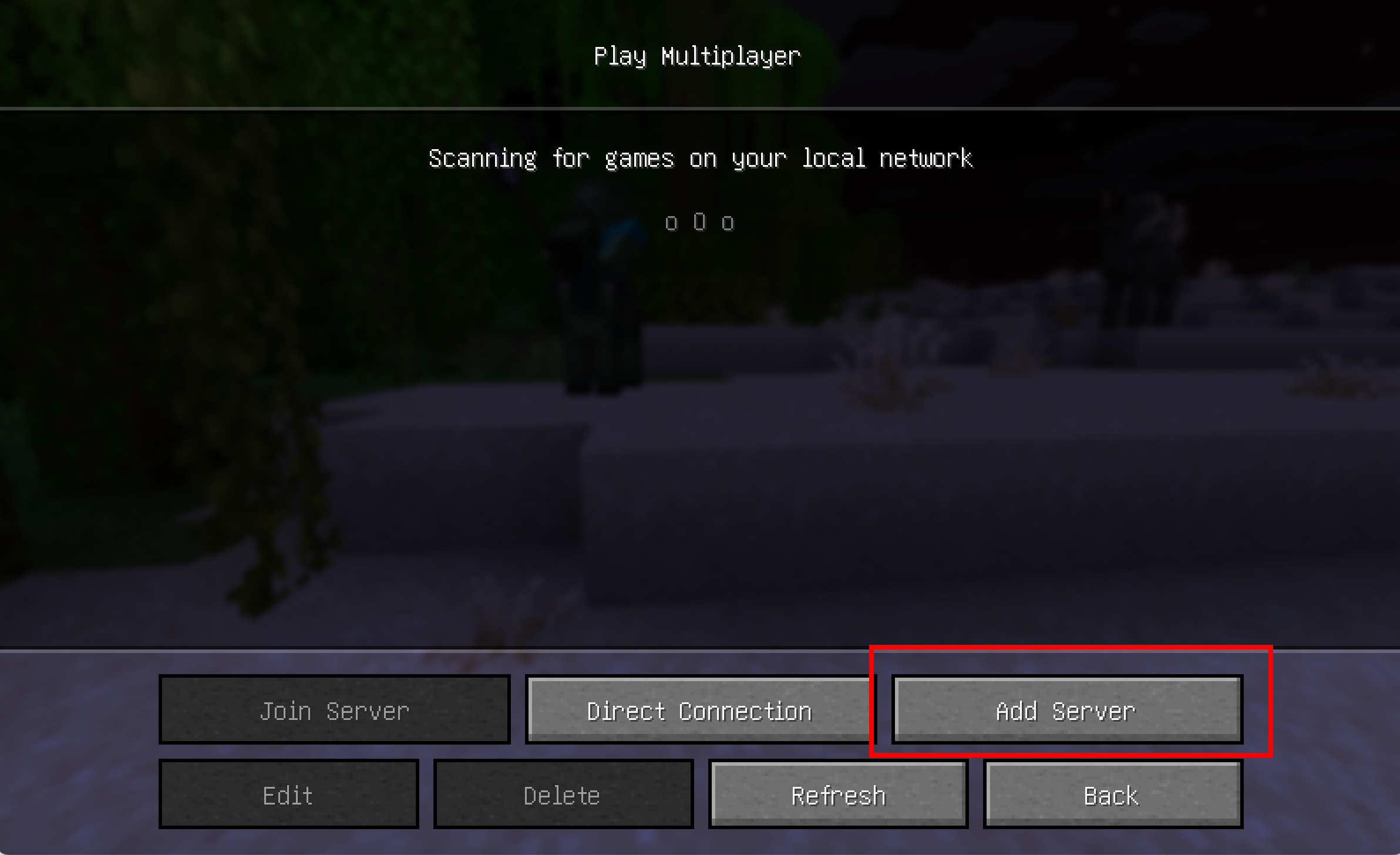
ADD SERVER
STEP 03
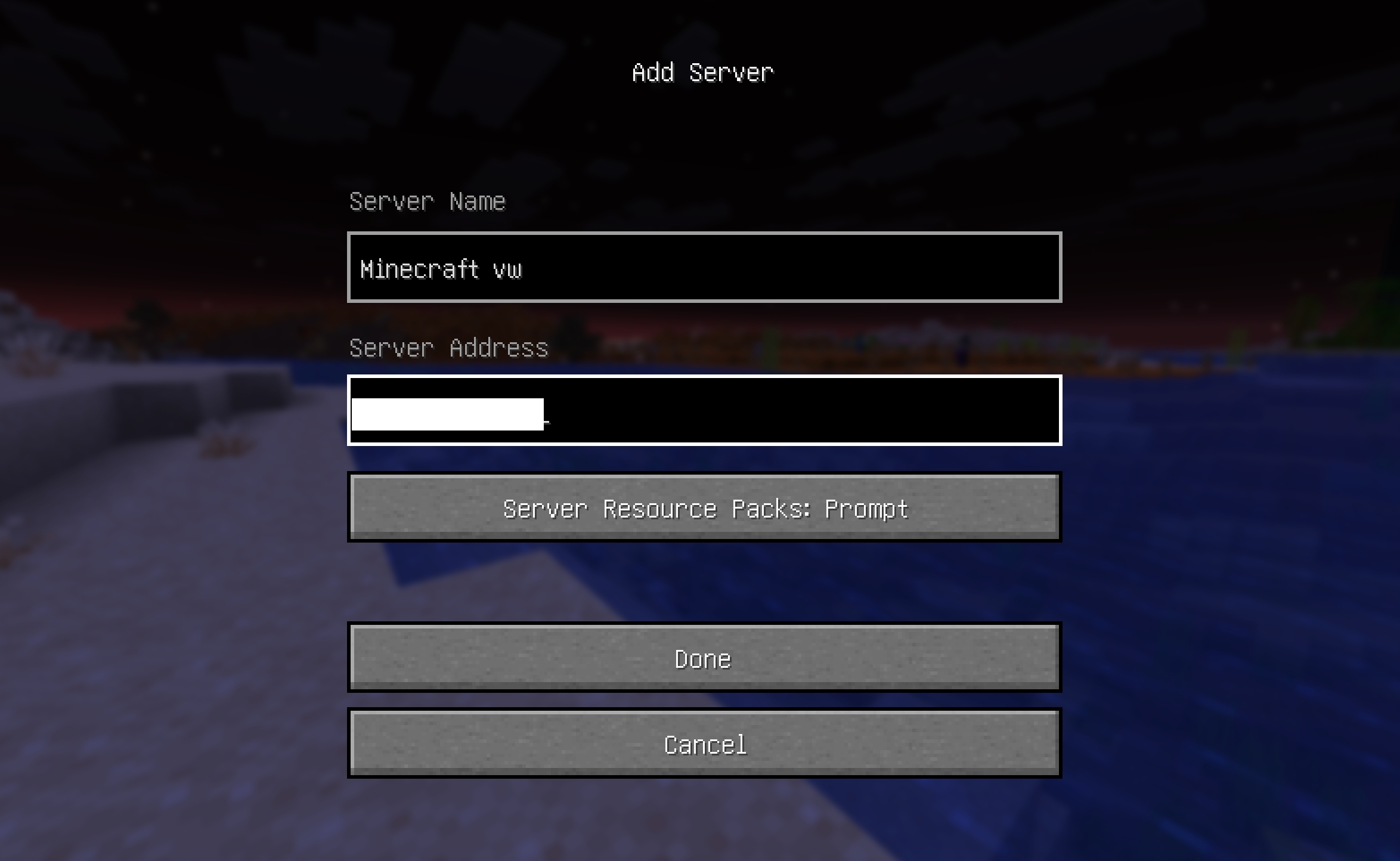
JOIN THE SERVER
Use the server address provided in your access request. Since you're already whitelisted, you can connect directly without manual registration.
STEP 04
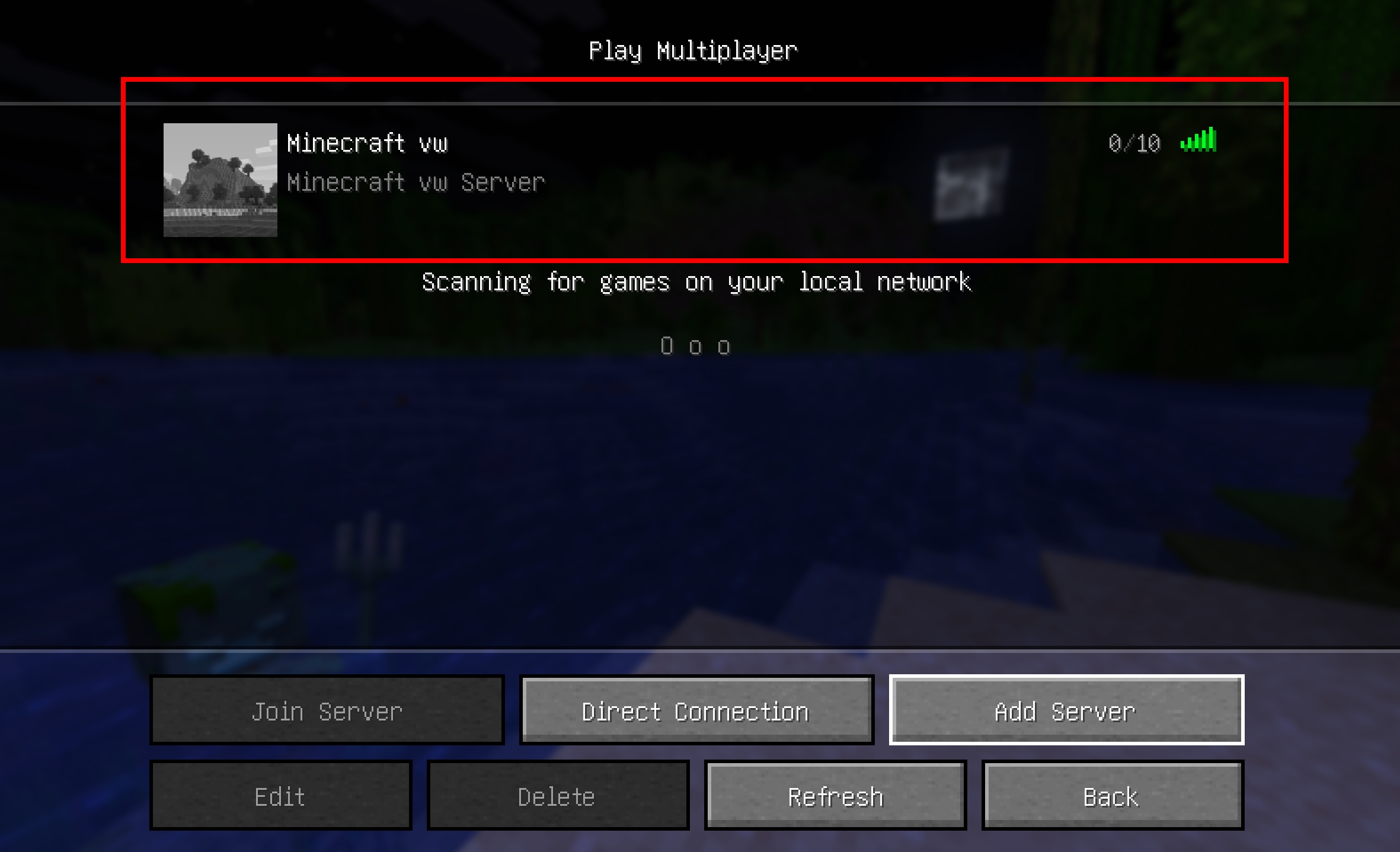
START YOUR ADVENTURE
Welcome to the world! You're now ready to explore, build, and thrive. Explore the map and have fun on your journey!
Interested in Joining?
Our server is completely free to play. We currently don't have a public login portal, but if you'd like to join our Minecraft adventure, please contact me to be added to the whitelist.